
Inside the multichannel AI support platform your team works in
Risolva is a multichannel AI support platform. It replies to customers on WhatsApp, Instagram, Messenger and your website, and your team works every conversation from one inbox. Most screens below come from Northline, our demo workspace, where a dental clinic, a salon, an online store and a plumber share one AI assistant.
- WhatsApp, Instagram, Messenger and web chat in one list
- Take over any chat, then hand it back to the AI
- Each AI escalation comes with a written reason
- Runs in a phone browser as well as on desktop
Four channels, one conversation list
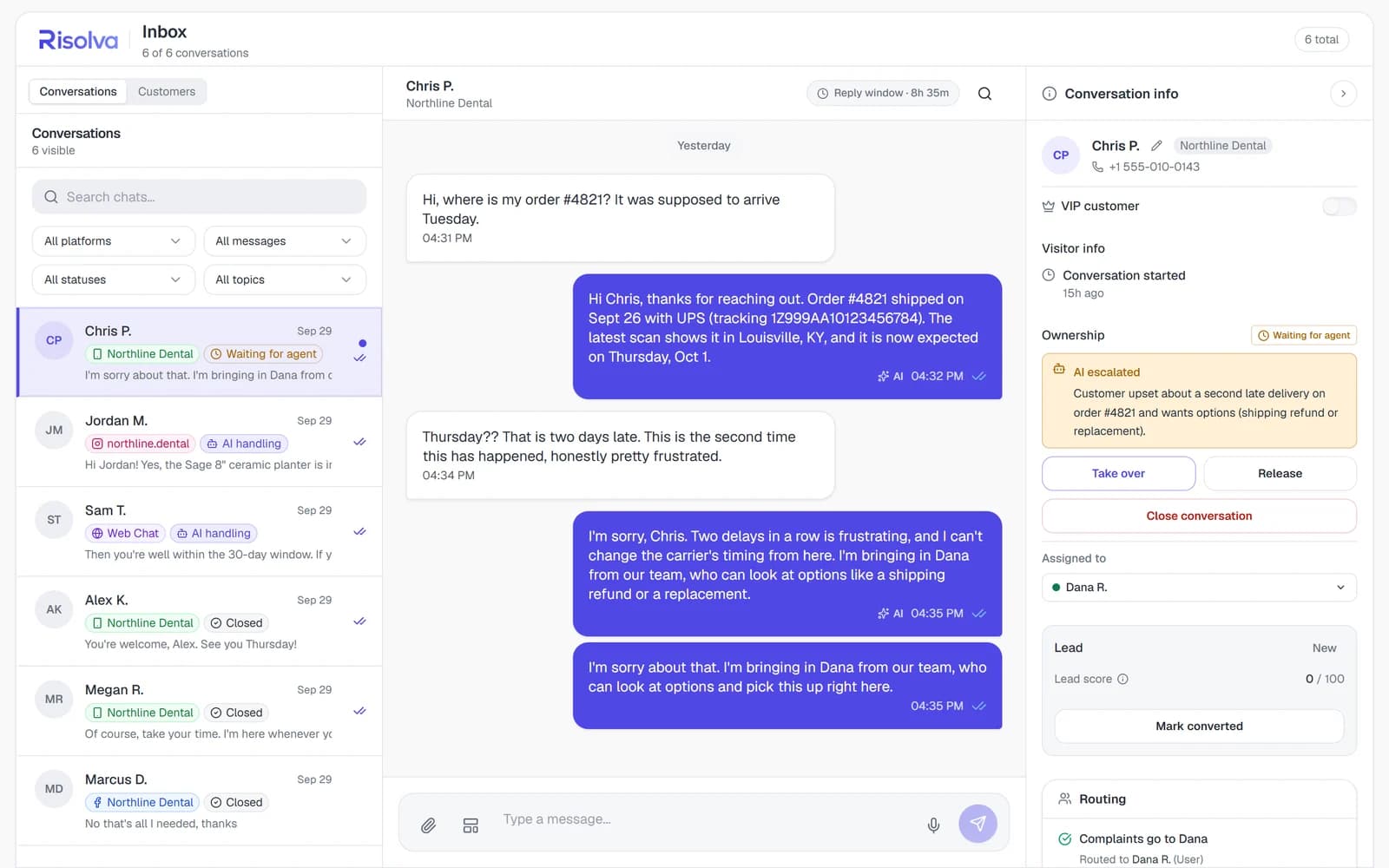
In Northline's inbox, Chris P. writes on WhatsApp, Jordan M. on Instagram, Sam T. through web chat and Marcus D. on Messenger, and they all sit in the same list. Each row shows the channel, the status and the last message. Chris's chat sits on top, waiting for an agent, and his WhatsApp thread counts down what is left of the 24-hour reply window.
- Statuses: AI handling, Waiting for agent, Human assigned, Closed
- Filter by platform, status or topic
- Search chats from the same list
Sam asks about returns on the website
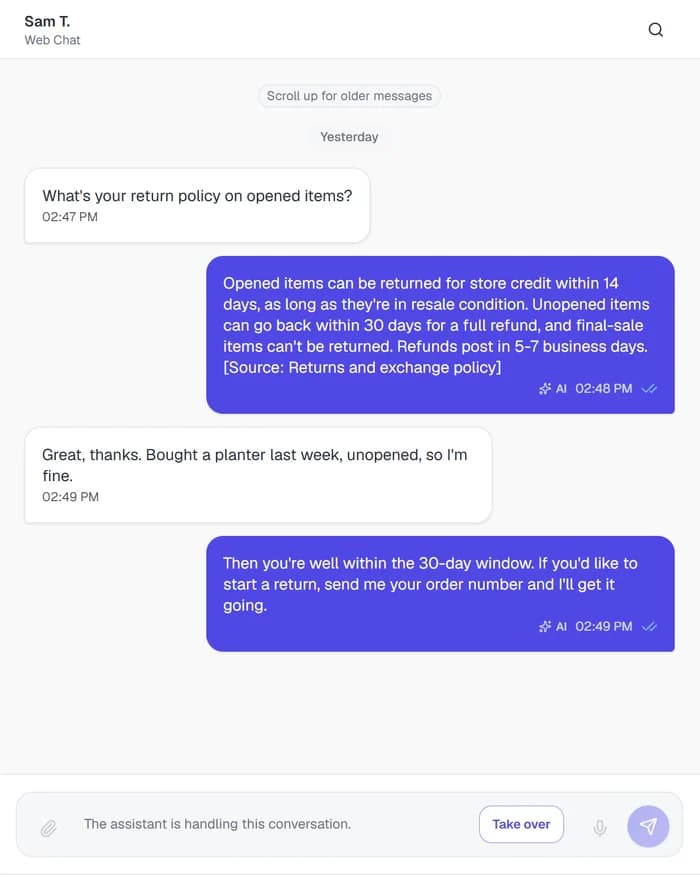
Sam T. asked Northline Shop's web chat whether opened items can be returned. The AI gave the actual terms (store credit within 14 days for opened items in resale condition, a full refund within 30 days if unopened) and ended with [Source: Returns and exchange policy]. When Sam replied that the item was unopened, it confirmed the 30-day window and offered to start a return once Sam sends the order number.
- Source citations are a per-bot setting
- Answers from website pages can link to the exact page
- Both settings sit under Bot > Answers
Five sources cover four businesses
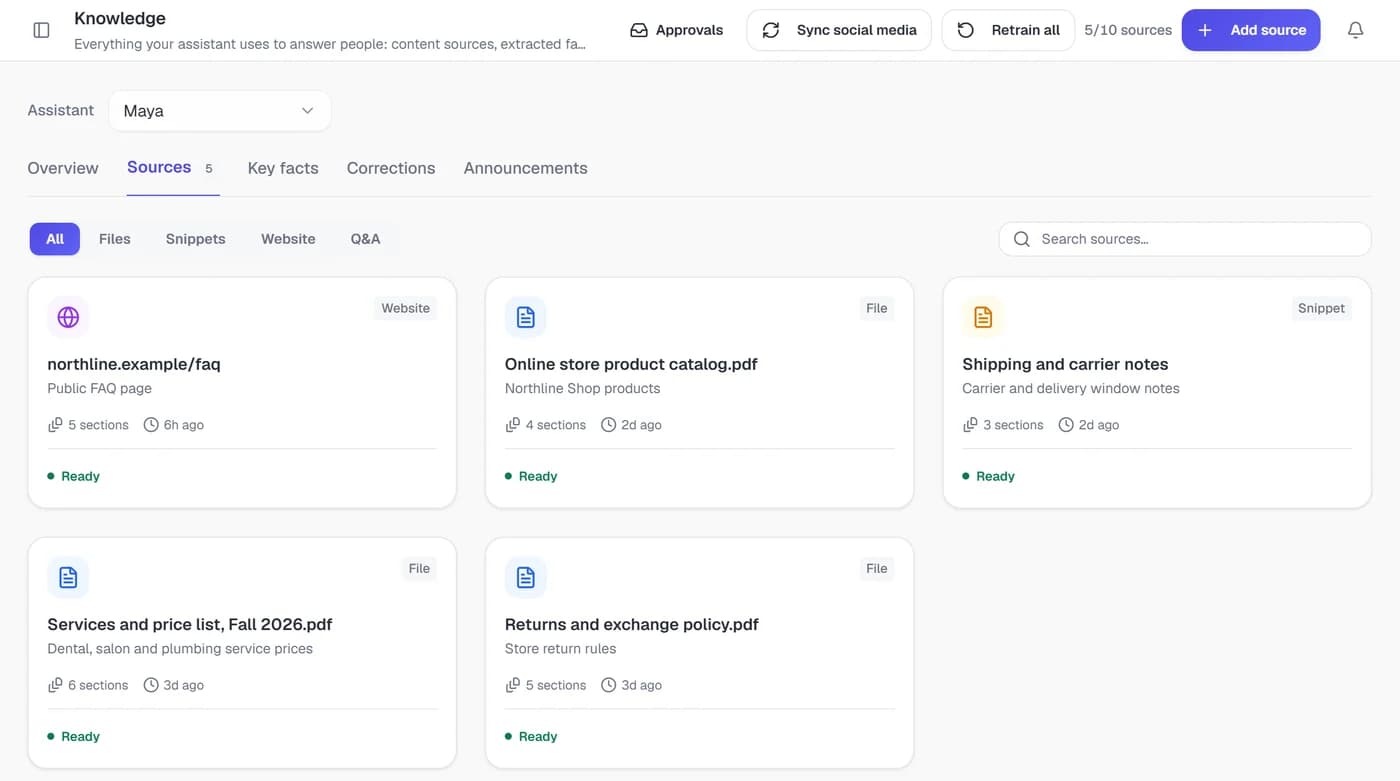
Northline's assistant, Maya, answers from five sources: the website FAQ, a services and price list PDF, the store's returns policy, a product catalog and a snippet of shipping notes. When Megan R. asked on WhatsApp what balayage costs, the $180 to $260 range came from that price list. Each source card shows how many sections it was split into, when it was last updated and whether it's Ready.
- Add websites, files, text snippets and Q&A pairs
- Retrain a source after it changes
- Stock answers are as current as the last catalog sync
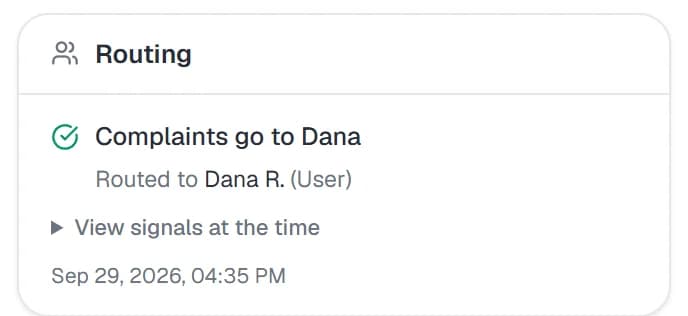
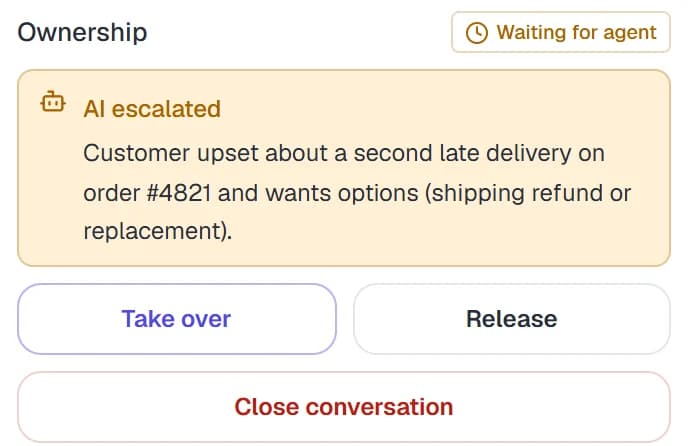
Chris's complaint goes straight to Dana
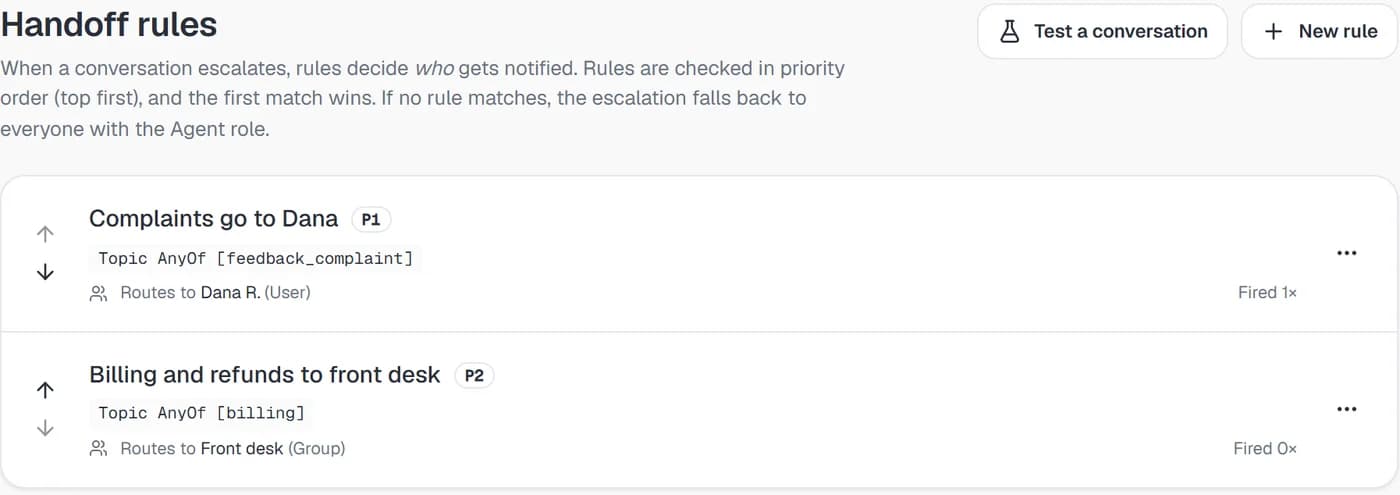
Chris P. found out his order #4821 would arrive two days late, for the second time, and told the AI he was frustrated. The AI apologized and escalated with a short written reason, and the rule "Complaints go to Dana" routed the chat to Dana R. A second rule, "Billing and refunds to front desk", routes escalated billing questions to the Front desk group, where every member is notified.
- Rules run in priority order, first match wins
- Match on topic, sentiment, intent, VIP, channel or business hours
- No match means everyone with the Agent role is notified
An exchange that finishes inside the chat
Custom actions point the AI at your own API without writing code. In this example, a create_exchange action posts to the store's own API with Requires approval switched on, so the AI asks the customer to confirm, then sends the return label back as a PDF. There's no ready-made store connector, so someone with API access sets each action up, often with our team.
- Optional customer confirmation before anything runs
- Can send back files like labels and invoices
- Google Sheets, Docs, Meet and email built in
create_exchangeEach platform capability, with its settings and limits
The tour made five stops. Voice notes, sentiment and summaries, lead scoring and WhatsApp broadcasts have pages of their own too, and every page covers what you can switch on and where the edges are.
Answer
Handle
WhatsApp, Instagram, Messenger and web chat, each with its own rules
WhatsApp allows free-form replies for 24 hours after the customer's last message and approved templates after that. Instagram is direct messages only. Messenger runs through your Facebook Page, and web chat goes on your site with one script tag. Each page covers what that channel allows.


From the first call to a live inbox
Every workspace is set up together with our team, usually in this order.
Book a demo
Tell us which channels your customers use and which questions take up most of your team's day. We'll walk through Risolva with examples close to yours and agree on what to set up first.
Connect your channels with us
We connect your WhatsApp Business number through the official API with you, then link your Facebook Page for Messenger and your Instagram account. For web chat, you paste one script tag into your site, just before the closing body tag.
Add your content and rules
Upload policies and price lists, add your website, and write handoff rules for complaints, billing questions and VIP customers. If you want order lookups or bookings, we help connect custom actions to your own systems.
Go live
The AI starts replying on every connected channel while your team watches from the inbox. The dashboard tracks cost saved, bot containment, first response time, conversation volume and per-channel performance, so you can see what the AI resolves and what it passes on.
Risolva next to a basic chatbot builder
Flow builders work fine for a menu with four buttons. The gap shows up the first time a customer types something the flow didn't plan for.
| Compared on | Basic chatbot builder | Risolva |
|---|---|---|
| An unscripted question | Falls back to a menu or "Sorry, I didn't understand." | Reads the message and answers it, follow-ups and two-part questions included. |
| Keeping answers current | Someone edits the flow by hand, one node at a time. | Upload the updated file and delete the old one, or retrain the website source. New replies use the change. |
| Reaching a person | A "type 0 for an agent" option, then whoever happens to be free. | Escalates on its own with a written reason, routed to the teammate or group your rules pick. |
| Voice notes and screenshots | Usually unanswered, because the bot reads text only. | Transcribes voice notes and reads the text in images, PDFs and documents. |
| Finishing the task | Sends a link or a phone number so the customer can finish it somewhere else. | Runs a custom action on your own API, after the customer confirms if you require it. |
What teams ask about an AI support platform before a demo
It's software where one AI assistant answers customers on several messaging channels and your team works all of them from one inbox. In Risolva that means WhatsApp on the official Business API, Instagram DMs, Facebook Messenger and a chat widget on your website, with handoff rules deciding which teammate or group gets each chat the AI escalates.
Bring last week's messages to the demo
Book a demo and bring a few real messages your team handled recently. We'll walk through how Risolva would handle them, which ones your rules should route to a person, and what connecting your channels involves.