
AI live chat for your website that works the front desk
With AI live chat on your website, a visitor asks whether you cover their town and what a service call costs, and gets an answer instead of a contact form. When they want a quote, the AI takes their number and job details and passes the chat to whoever prices it.
- One script tag, confirmed by Verify install
- Opens full screen on phones
- Your own Request a quote button can open the chat
- Handoff rules route quotes to your estimator
 In your Risolva inbox: Megan T.Waiting for agent
What you can set on the AI chat widget
What the AI chatbot for your website does, and what you can change in the Web Chat settings.
- Install
- One script tag before the closing </body> tag. No plugin, and a Verify install check confirms it loaded and on which site.
- Look
- Brand color, bottom-left or bottom-right corner, assistant name and avatar, launcher icon, title, subtitle and welcome message. Light, dark or automatic mode.
- Starter questions
- Up to six suggested messages a visitor can tap when the chat is empty, such as "Do you cover my area?"
- On phones
- Opens full screen on screens narrower than 768px, right in the visitor's browser.
- Visitor uploads
- Photos, PDFs and documents up to a file size you set (10 MB by default), plus voice notes recorded in the chat.
- Your own buttons
- A JavaScript call, Risolva.open(), lets a "Request a quote" button on your page open the chat.
- Where it loads
- An allowed-domains list keeps the widget on your own sites, and a pause switch turns it off without removing the code.
- After the chat
- An optional rating prompt appears a set time after the last reply, on a scale you choose.
One line of code, and proof it loaded
Whoever edits Oakridge's site pastes the script tag into the shared footer, so the chat follows a visitor from the water heater page to the contact page. Then Verify install shows whether the widget has loaded, which site it loaded on, and how many visitors it had in the last hour.
- Runs in its own Shadow DOM, so your theme's styles can't bend it out of shape
- Allowed domains keep the widget on your own hostnames
- A pause switch takes chat offline without touching the code
    <footer>…</footer>
    <script src=".../risolva-widget.js"
      data-widget-key="wk_7f3c…" async defer></script>
  </body>
</html>
Sized for a visitor on a phone, mid-problem
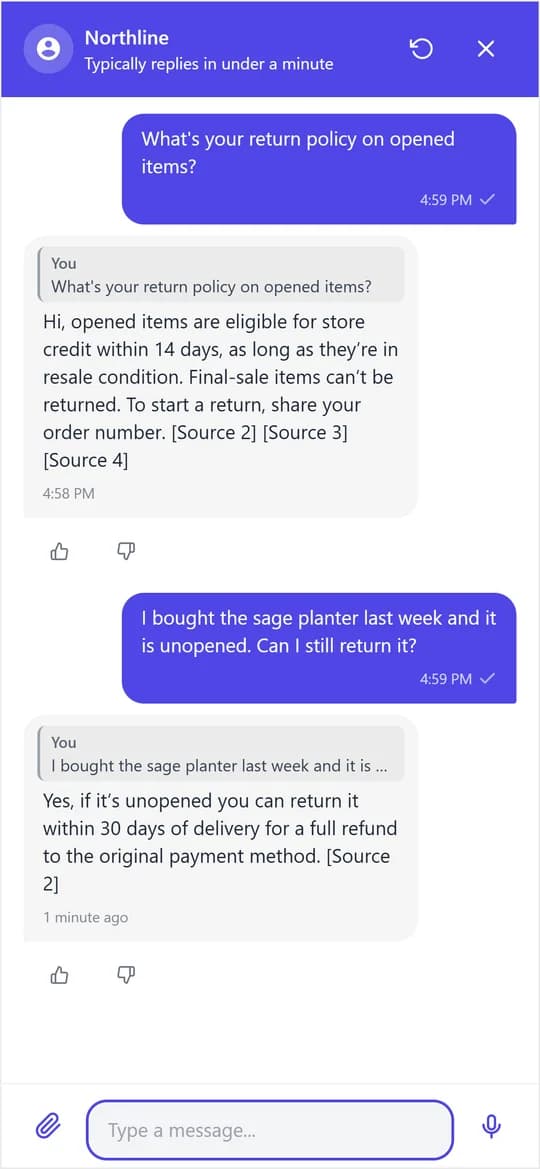
Plenty of home-service visitors are on a phone, sometimes standing next to the leak. On a phone the chat opens full screen, like the conversation shown here, and the visitor can attach a photo or record a voice note instead of typing. The AI reads the text in a photo, like the model and capacity on a water heater's rating plate, and transcribes voice notes before it replies.
- No app to install, it runs in the phone's browser
- Photos, PDFs and documents up to the file size you allow
- Voice notes are transcribed and answered in text
Quote requests land with whoever prices them
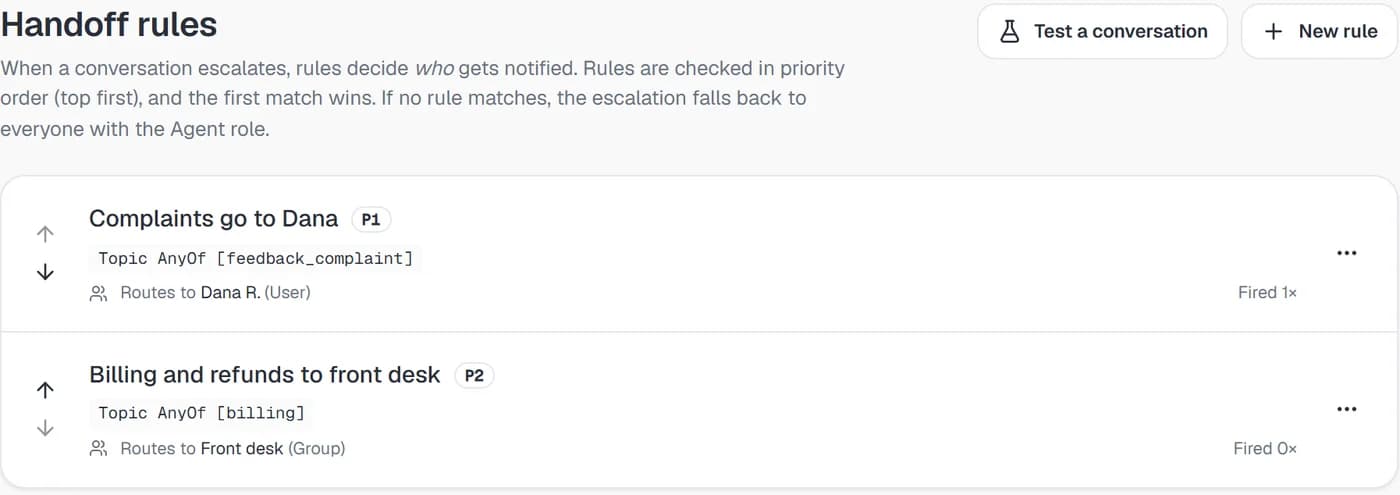
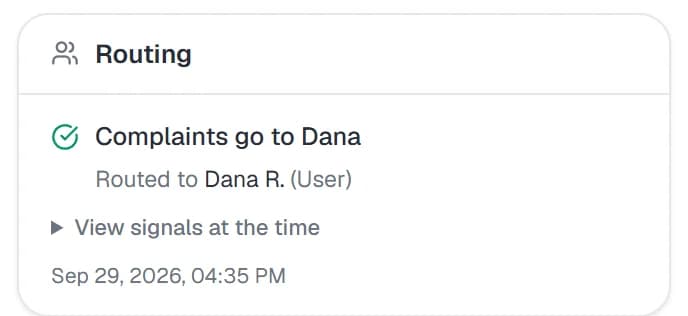
Oakridge has a topic rule that sends water heater quote requests to its estimator, Luis G. When he opens Megan's chat the next morning, the heater's age, the leak, gas or electric and her number are already in the thread, so his first step is the callback. With a custom action connected to your scheduling system, the AI can book the visit in the chat instead.
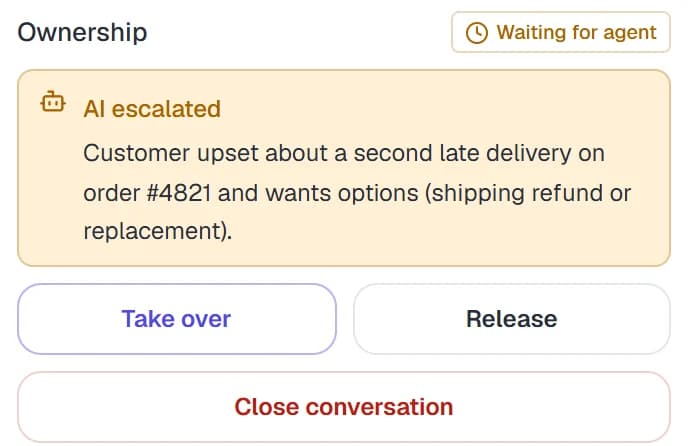
- The thread shows why the AI escalated and who has it
- The matched rule is named, so you can see why it went to that person
- Release the chat back to the AI once the callback is done
Adding AI live chat to your site, from script tag to first quote
Our team works through these steps with you during onboarding. Beyond pasting one line of code, none of it needs a developer.
What you need
- Access to your site's HTML or your tag manager
- Your service area list, fee sheet and job FAQs
- A decision on who handles quotes, emergencies and complaints
- Someone watching the inbox during business hours
Brand the widget
Pick the color, corner, assistant name and welcome message, and add suggested questions like "What does a service call cost?" so visitors have somewhere to start.
Connect what it answers from
Add your service area page, fee sheet and water heater FAQ, then ask the questions your office hears every week and fix any answer that's off before visitors see it.
Paste the tag and check it
Put the script tag in your site's shared footer so it loads on every page, add your domains to the allowed list, and run Verify install.
Decide who gets which chats
Write a handoff rule that sends quote requests to whoever prices jobs, and edit the message visitors see while they wait for a person, such as when to expect a callback.
AI chatbot vs. live chat for a service business
Traditional live chat puts a person on every question, including the ones your office answers the same way all day. For a service business, the difference shows up in five places.
| Compared on | Traditional live chat | Risolva AI chat |
|---|---|---|
| A 9 PM visitor | Sees an away message or an offline form and waits until tomorrow, or calls someone else. | Gets the service area and service call fee answered in the chat, and leaves a number for the morning. |
| Service area and fee questions | Whoever is on shift types the same service area list and fee all day. | Answered from your own service area page and fee sheet, with the source named if citations are on. |
| Quote requests | Land with whoever is online, who asks the intake questions from scratch. | The AI gathers the basics, then a topic rule sends the chat to your estimator with the full thread. |
| Photos of the problem | Wait until an agent has time to open them. | The AI reads the text in the photo, such as a model number, and uses it in the reply. |
| Who staffs it | Someone has to sit on the chat window for it to be worth having. | Your team works from one inbox with WhatsApp, Instagram and Messenger, and only on chats that need them. |
AI chatbot for website and live chat questions
An AI chatbot for a website is a chat window that answers visitors' questions automatically, in plain language, using your business information. Risolva reads each message, replies from the pages, documents and FAQs you connect, and passes the chat to your team when a visitor needs a person or asks something your content doesn't cover.


See the chat answer your own service questions
Book a demo and bring your service area list and fee sheet. Risolva is in private beta, so we set up the widget with you and show how a quote request reaches your estimator with the job details already in the thread.