
A Facebook Messenger chatbot that answers your Page and routes emergencies
Plenty of the people you serve never open WhatsApp, but they will message your Facebook Page. Risolva's Facebook Messenger chatbot answers those conversations, tags each one by topic, and routes the urgent ones to the teammate or group you choose, in one shared inbox.
- Facebook names and profile photos in the inbox
- After-hours emergencies routed to an on-call group
- Page posts suggested as knowledge for you to approve
- Closed chats reopen with history within 7 days
 In your Risolva inbox: Luis R.Waiting for agent
What happens to a message sent to your Page
The Messenger mechanics on Risolva, including the limits Meta sets for Pages.
- Connection
- Sign in with Facebook from Integrations and choose your Page. You need admin access to the Page, not a developer app of your own.
- What gets answered
- Messages people send your Page in Messenger. Comments on your posts and ads are not answered.
- Who is writing
- Each person's Facebook name and profile photo appear in the inbox, when their privacy settings allow it.
- Reply window
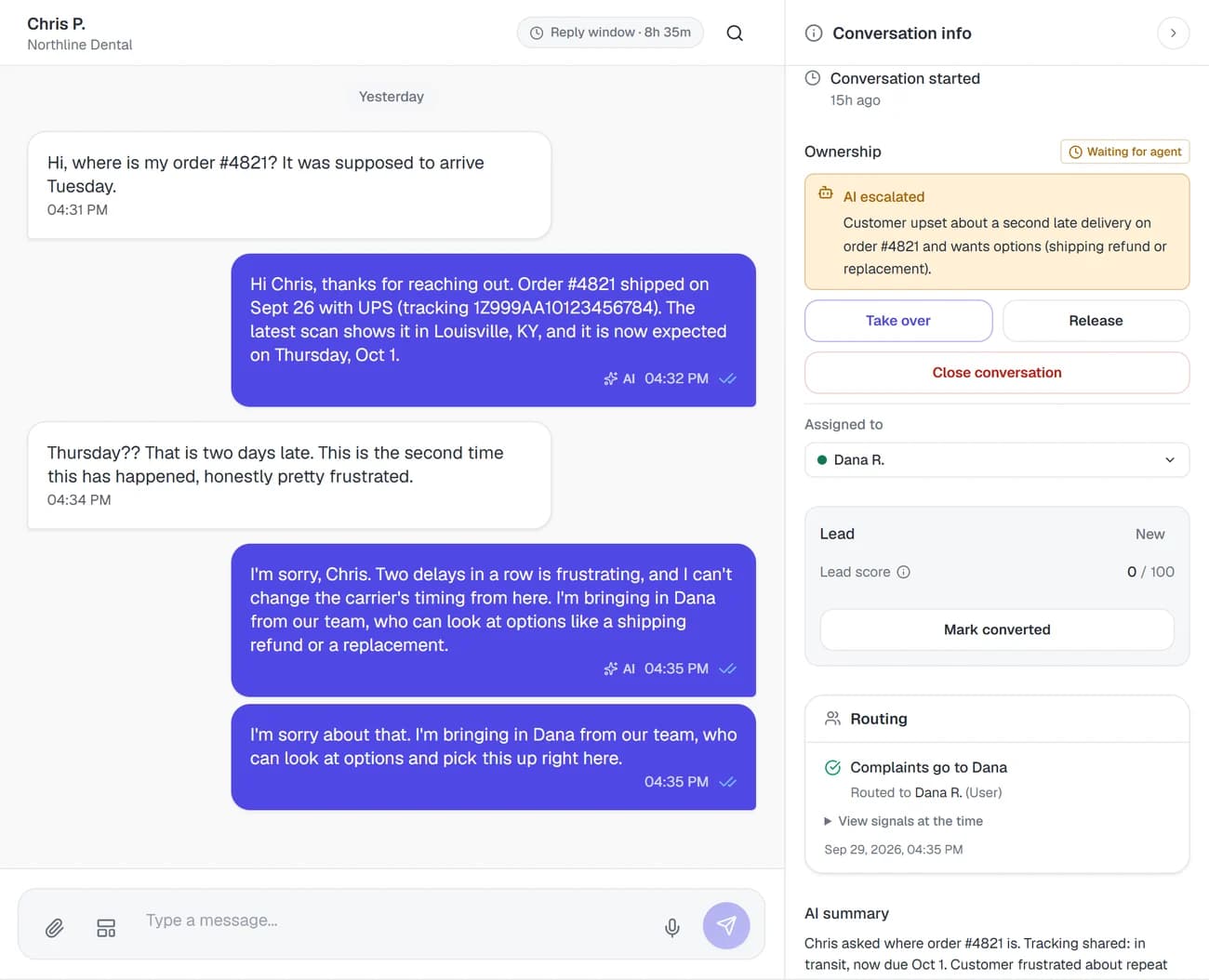
- The AI can send free-form replies for 24 hours after the person's last message, and the inbox counts down the time left. A teammate who has taken the chat over can reply for up to 7 days.
- Voice messages and files
- Voice messages are transcribed and answered in text. Text in photos, screenshots, PDFs and Word files is read. Video is not analyzed. Each type can be switched off for Messenger alone.
- Returning residents
- A closed chat reopens, history included, when the same person writes again within 7 days of its last message.
- Page posts
- New posts on the Page are checked every few hours. Useful ones, like a water shut-off notice, are suggested as knowledge updates for you to approve.
- Languages
- Replies in the language the person writes in, so a question in Spanish gets an answer in Spanish.
Burst pipes at 2 a.m. go straight to your on-call group
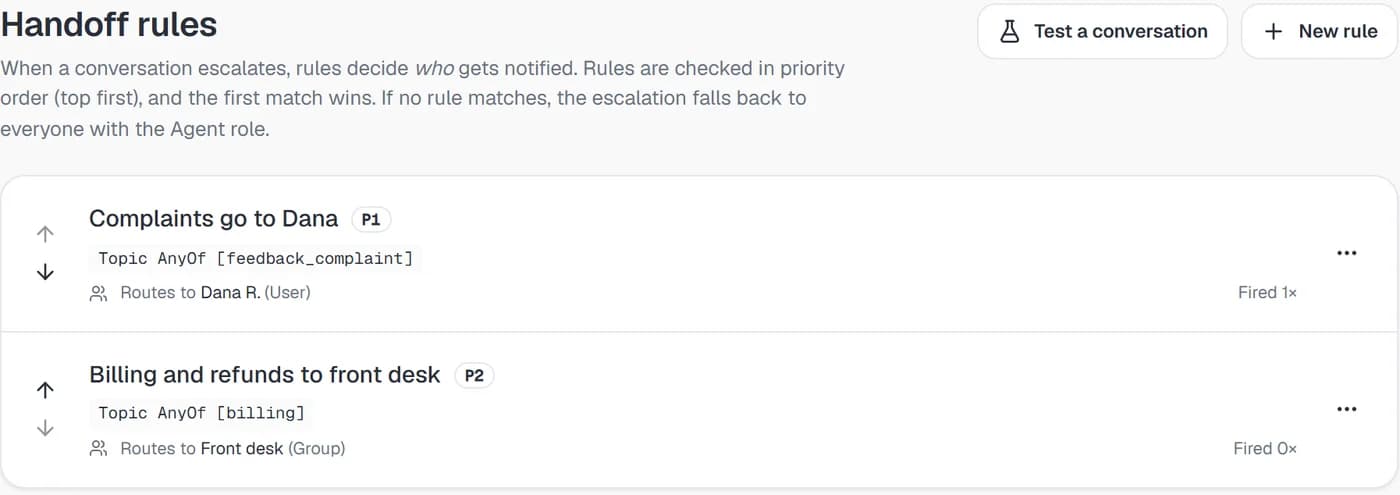
Add Maintenance emergency to your topic list, then a rule: that topic, outside business hours, goes to the On-call maintenance group. When a resident writes that water is coming through the ceiling, the rule matches as the message arrives. The AI holds back its own reply, and the resident gets the message you wrote for that rule instead.
- Outside business hours means outside Monday to Friday, 9 to 6, in your time zone, so weekends count
- Every member of the on-call group is notified, rather than one person in rotation
- Add a Channel condition if a rule should only apply to Messenger chats
Messenger's 24-hour rule, counted down in the inbox
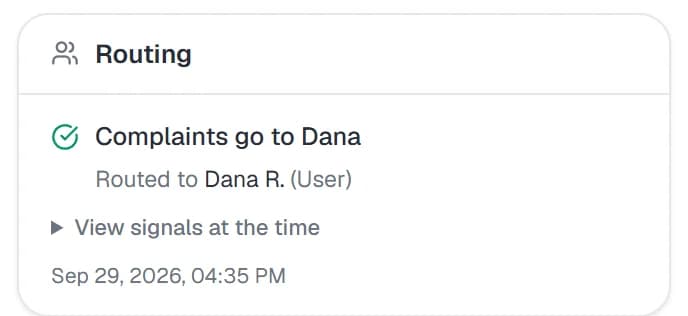
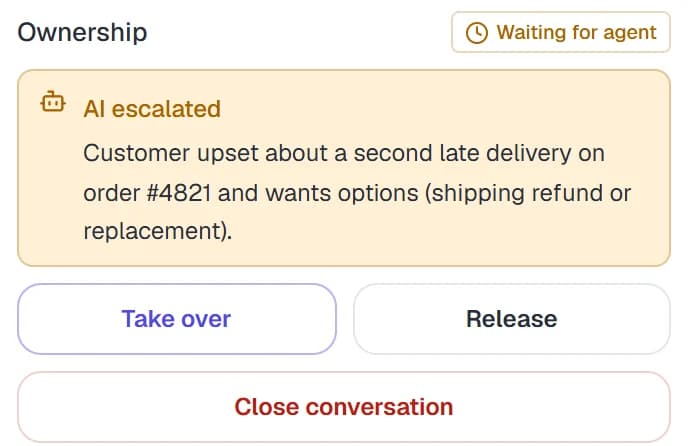
Meta lets a Page send free-form replies for 24 hours after a person's last message. The AI answers inside that window, so routine questions never age out. When a chat goes to your team, the header shows how long is left to reply, and the details panel shows why the AI escalated, who has it and which rule matched.
- After 24 hours the AI stops, and a teammate who took the chat over can reply for up to 7 days
- Take over any chat, and hand it back to the AI when you are done
- Viewing requests can go straight to your leasing team through a topic rule
Connect the Page once, and its posts can answer questions too
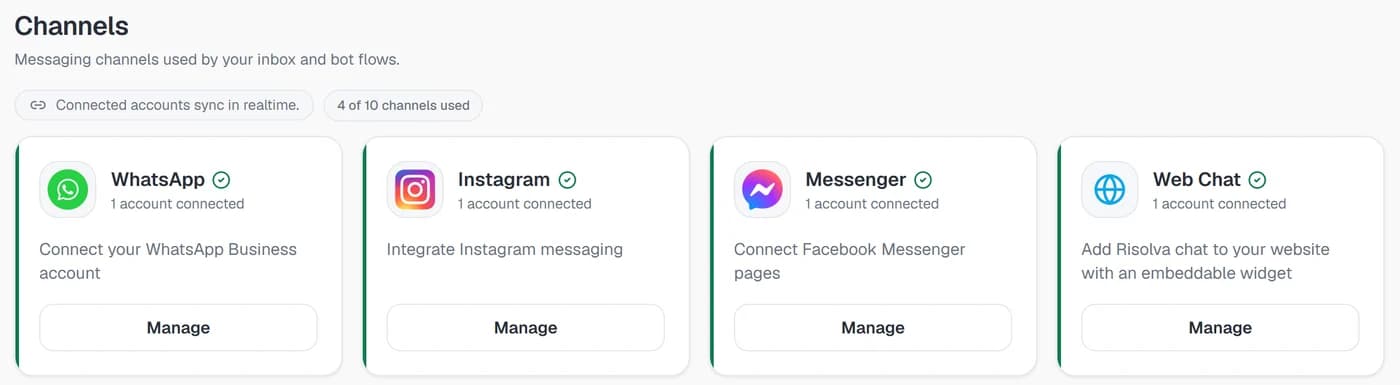
Sign in with Facebook from Integrations, pick your Page, and Messenger shows as connected beside your other channels. Risolva also checks the Page for new posts every few hours. When Summit posts that Building C at Saguaro Flats has no water Tuesday from 9 to noon, the post is suggested as a knowledge update, and once someone approves it the AI can answer residents who message to ask.
- Nothing from a post is used until someone on your team approves it
- Posts with no useful information, like a holiday greeting, are not suggested
- Comments under the post stay with whoever manages the Page
Connecting your Facebook Page to the Messenger chatbot
Risolva is in private beta, so our team sets this up with you during guided onboarding.
What you need
- Admin access to your Facebook Page
- Your policies, FAQs and unit listings, as web pages or files
- Who covers which topics, after hours included
- A scheduling system with an API, if you want viewings booked in chat
Add what residents and prospects ask about
Connect your website pages, the resident handbook, the pet policy and the current units list. Turn on source citations if you want each reply to name the document it came from.
Set topics and routing rules
Add topics like Maintenance emergency, Rent payment and Viewing request. Send emergencies outside business hours to the on-call group and viewing requests to leasing, and write what residents see while they wait.
Sign in with Facebook and pick the Page
From Integrations, sign in with Facebook, approve the permissions Risolva asks for and choose your Page. Then link the Page to your bot so the AI starts answering the messages that land in the shared inbox.
Message the Page yourself
From a personal Facebook account, send the Page the questions residents ask most, plus a mock emergency after 6 p.m. so the after-hours rule fires. Check the answers and routing in the inbox before you tell residents about it.
Facebook auto replies, next to an AI that reads the question
Meta Business Suite gives a Page an instant reply, an away message, keyword replies and saved replies. They help, but every one of them is written in advance.
| Compared on | Instant replies and saved replies | Risolva |
|---|---|---|
| The first reply | The same greeting goes to everyone who writes, whatever they asked. | An answer to the question itself, such as the pet deposit or the late fee. |
| Questions nobody scripted | Keyword replies fire on set words, so anything phrased differently waits for a person. | Reads the whole message, follow-ups included, then answers or hands off. |
| After office hours | An away message says when the office reopens. | Routine questions get answered, and emergencies go to the on-call group by rule. |
| Voice messages and photos | They sit in the Page inbox until someone listens or looks. | Voice messages are transcribed and photos read before the reply goes out. |
| Reaching the right person | Someone has to spot the message and pass it along. | Rules route by topic, intent, sentiment, channel or business hours, and the reason is shown. |
What Page owners ask about the Messenger chatbot
A Facebook Messenger chatbot replies to the messages people send your Facebook Page. Risolva's AI reads each message, answers within seconds from the policies, pages and files you connect, and hands the chat to your team when someone asks for a person or the question falls outside what it knows. Every Messenger chat sits in one shared inbox with your other channels.


Bring your Page's busiest night to the demo
Book a demo with the messages your Facebook Page gets most, the 2 a.m. maintenance ones included. We will show a Messenger chatbot for business answering them, build your routing rules with you, and connect the Page during onboarding.